
 Download apps
01OVERVIEW

02HOW IT WORKS
Overview
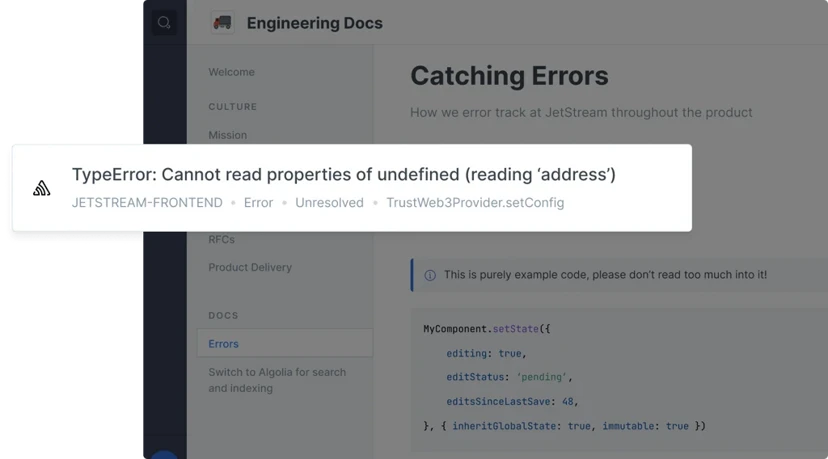
Sentry helps developers and organizations see what actually matters, solve errors and performance issues quicker, and learn continuously about their application health - from the frontend to the backend. This integration lets you embed Sentry issues into your Trooper documentation. It allows your reader to get a preview of the issues right from your documentation pages.
How it Works
Embedding Sentry in your documentation is simple - just paste a Sentry issue link (e.g https://try.sentry-demo.com/organizations/artistic-mudfish/issues/179907/) into the Trooper editor. The app will turn the link into an embed that show details of the Sentry issue like the title, status & culprit of issue etc.
Configuration
You can install Sentry on a single space by clicking on the Integrations button or on multiple or all spaces by going into your organization settings. To complete the installation you will need to provide a API Auth Token. To generate an auth token follow the instructions here. Choose event:read scope and copy-paste the new generated token in the respective configuration in Trooper.


